> ## Documentation Index
> Fetch the complete documentation index at: https://omnilens-626cb878.mintlify.site/llms.txt
> Use this file to discover all available pages before exploring further.
# Repository Dashboard
## Summary
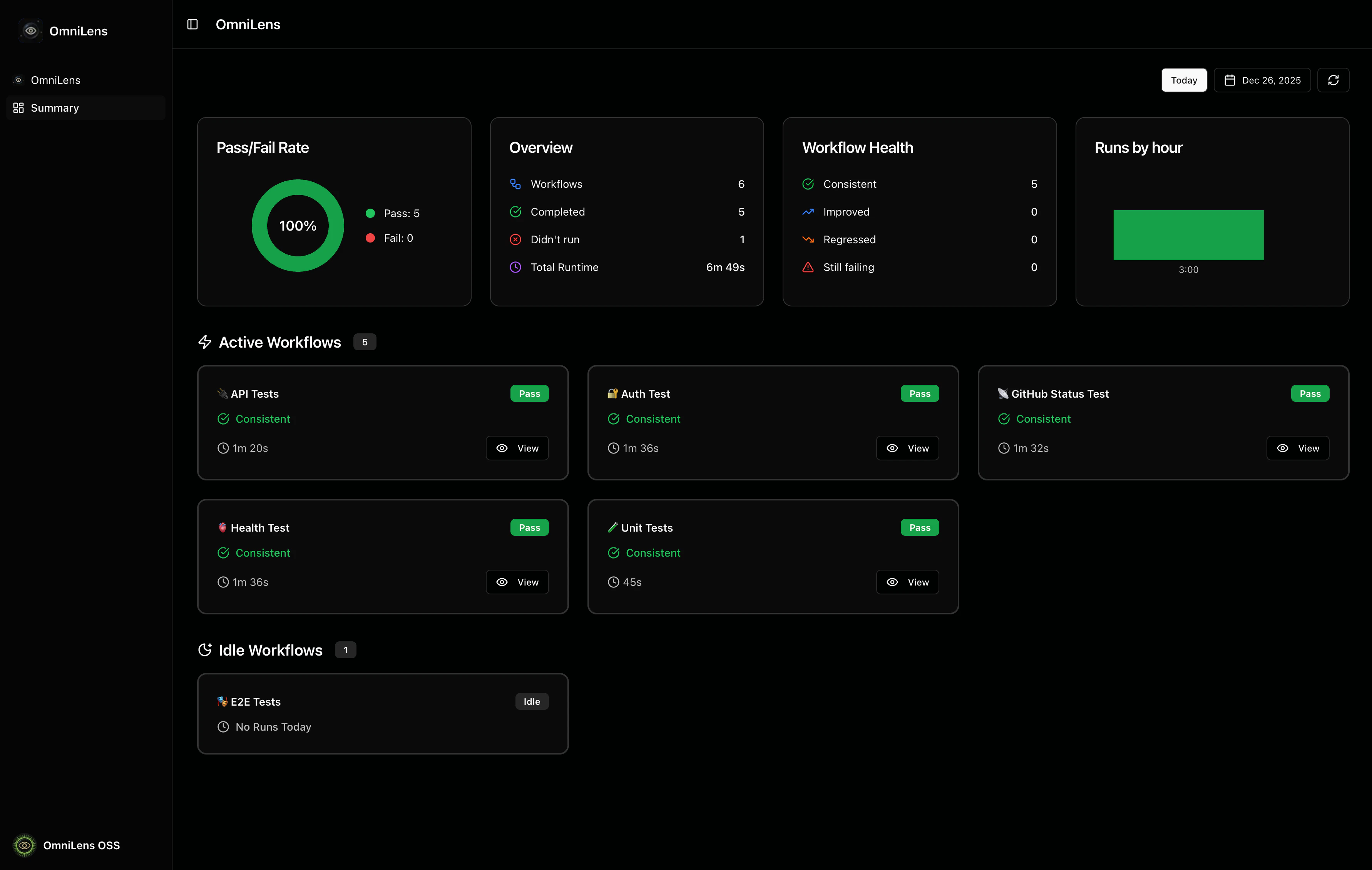
The Summary page provides a detailed view of workflow runs and metrics for your repository.
 ### Date Selection
You can view workflow runs for any date by using the date controls in the top-right corner:
* **Today button**: Quickly jump to today's date
* **Calendar picker**: Select any date to view historical workflow runs
* **Refresh button**: Reload the page to fetch the latest data
### Daily Metrics
There are four metric cards showing aggregated statistics for the selected date.
* **Pass/Fail Rate**: A pie chart showing the success rate of workflow runs
* **Overview**: General statistics
* **Workflow Health**: Health status breakdown comparing today's runs with yesterday's
* **Runs by hour**: A bar chart showing when workflows are most active throughout the day
### Workflow section
The workflow cards are split in two sections:
* **Active Workflows**: Workflows that have runs for the selected date
* **Idle Workflows**: Workflows that have no runs for the selected date
## Workflow Card Overview
Each workflow card provides a compact overview of the workflow's activity.
### Date Selection
You can view workflow runs for any date by using the date controls in the top-right corner:
* **Today button**: Quickly jump to today's date
* **Calendar picker**: Select any date to view historical workflow runs
* **Refresh button**: Reload the page to fetch the latest data
### Daily Metrics
There are four metric cards showing aggregated statistics for the selected date.
* **Pass/Fail Rate**: A pie chart showing the success rate of workflow runs
* **Overview**: General statistics
* **Workflow Health**: Health status breakdown comparing today's runs with yesterday's
* **Runs by hour**: A bar chart showing when workflows are most active throughout the day
### Workflow section
The workflow cards are split in two sections:
* **Active Workflows**: Workflows that have runs for the selected date
* **Idle Workflows**: Workflows that have no runs for the selected date
## Workflow Card Overview
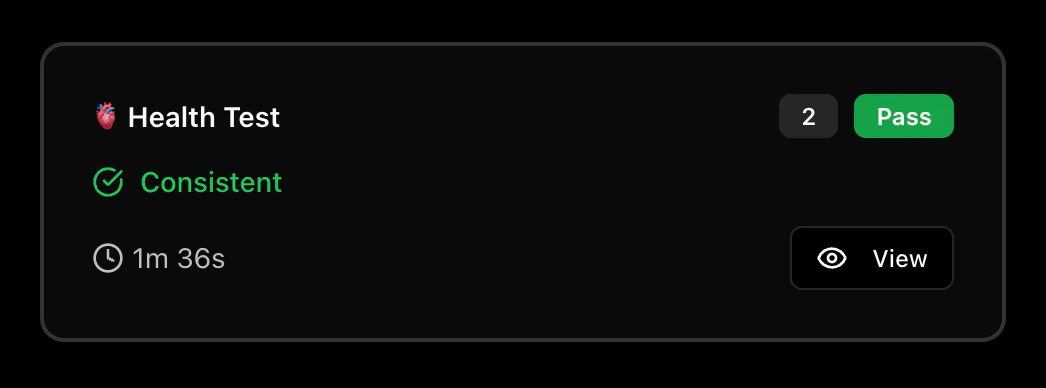
Each workflow card provides a compact overview of the workflow's activity.
 ### Metrics
The workflow card displays the following metrics:
* **Status badge**: Visual indicator showing Pass, Fail, Running, or Idle
* **Run count badge**: Shows when a workflow runs multiple times
* **Health status indicator**: Compares today's performance with yesterday
* **Duration**: The total runtime of the workflow execution
### Actions
Each workflow card includes interactive elements:
* **View button**: Opens the workflow run on GitHub Actions
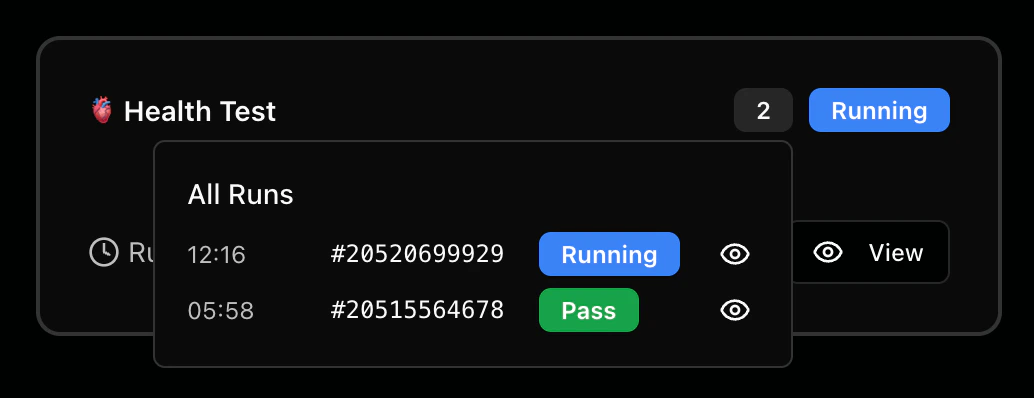
* **Run count badge**: Click to view all runs
### Metrics
The workflow card displays the following metrics:
* **Status badge**: Visual indicator showing Pass, Fail, Running, or Idle
* **Run count badge**: Shows when a workflow runs multiple times
* **Health status indicator**: Compares today's performance with yesterday
* **Duration**: The total runtime of the workflow execution
### Actions
Each workflow card includes interactive elements:
* **View button**: Opens the workflow run on GitHub Actions
* **Run count badge**: Click to view all runs