> ## Documentation Index
> Fetch the complete documentation index at: https://omnilens-626cb878.mintlify.site/llms.txt
> Use this file to discover all available pages before exploring further.
# Home Dashboard
## Overview
The Home page provides a single view of all your repository cards as well as the ability to add more.
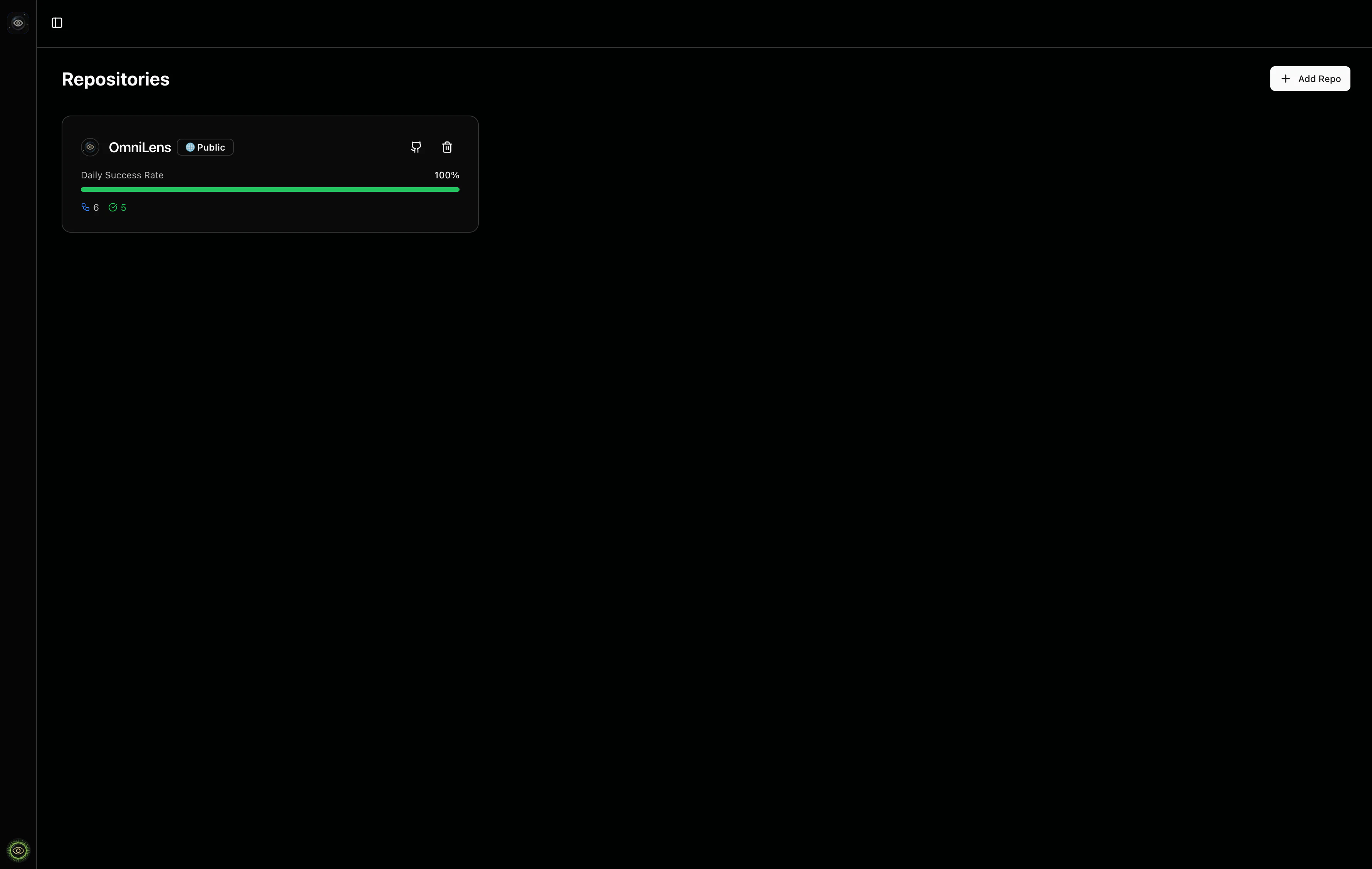 ## Add a Repository Card
Enter a GitHub repository URL or `owner/repo` format in the add repository dialog.
## Add a Repository Card
Enter a GitHub repository URL or `owner/repo` format in the add repository dialog.
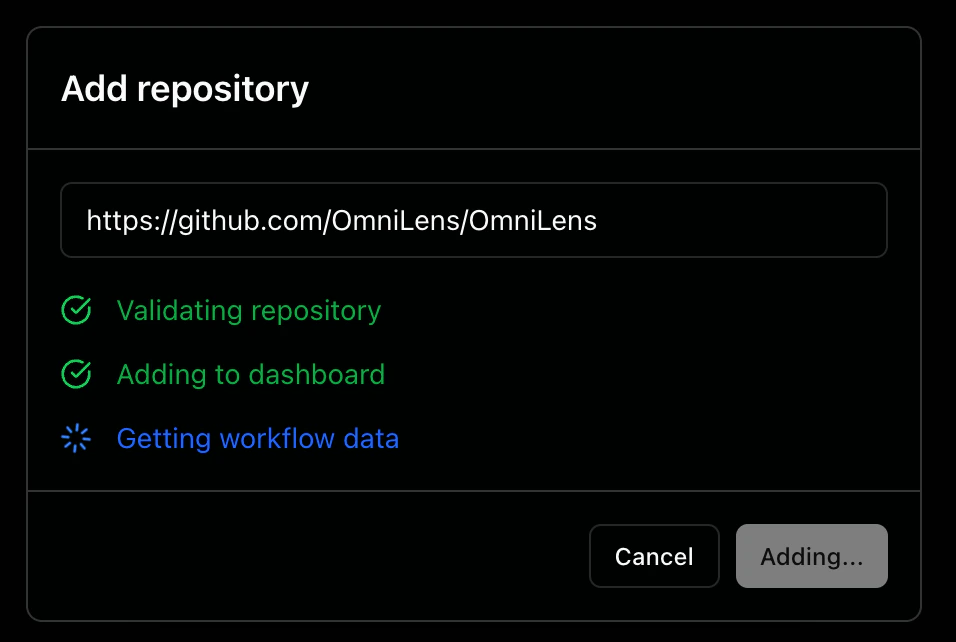 OmniLens will:
1. **Validation**: Verifies the repository exists and you have access to it
2. **Addition**: Adds the repository card to your dashboard
3. **Data Fetching**: Discovers and fetches workflow definitions to display initial run data
You can add up to 12 public repository cards to your dashboard.
## Repository Card Overview
Each repository card provides a compact overview of your repository's workflow activity.
OmniLens will:
1. **Validation**: Verifies the repository exists and you have access to it
2. **Addition**: Adds the repository card to your dashboard
3. **Data Fetching**: Discovers and fetches workflow definitions to display initial run data
You can add up to 12 public repository cards to your dashboard.
## Repository Card Overview
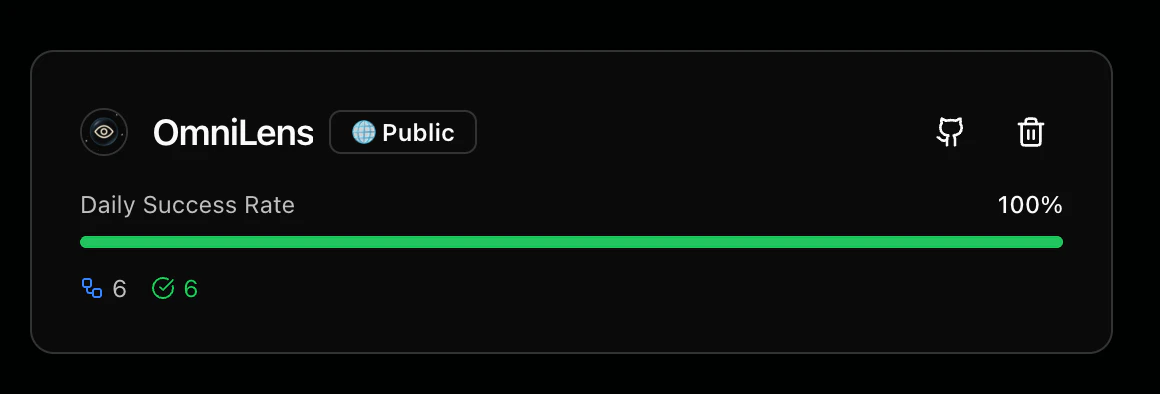
Each repository card provides a compact overview of your repository's workflow activity.
 ### Metrics
The repository card displays the following metrics:
* **Daily Success Rate**: A progress bar showing the percentage of successful workflow runs
* **Total Workflows**: The number of workflows configured in the repository
* **Passed Runs**: Count of workflow runs that completed successfully
* **Failed Runs**: Count of workflow runs that failed
* **In Progress Runs**: Count of workflow runs currently running
### Actions
Each repository card includes interactive elements:
* **GitHub icon**: Navigate directly to the repository on GitHub in a new tab
* **Trash can icon**: Remove the repository card and all its associated data from your dashboard
### Metrics
The repository card displays the following metrics:
* **Daily Success Rate**: A progress bar showing the percentage of successful workflow runs
* **Total Workflows**: The number of workflows configured in the repository
* **Passed Runs**: Count of workflow runs that completed successfully
* **Failed Runs**: Count of workflow runs that failed
* **In Progress Runs**: Count of workflow runs currently running
### Actions
Each repository card includes interactive elements:
* **GitHub icon**: Navigate directly to the repository on GitHub in a new tab
* **Trash can icon**: Remove the repository card and all its associated data from your dashboard